

How to use DuckyHelper in Telegram
Telegram groups scroll fast and friends write in other languages. Ask DuckyHelper about the chat on your screen and it tells you what is for you and what a message means. You can also hand it a reply or an address to pass on for your OK (Early access).
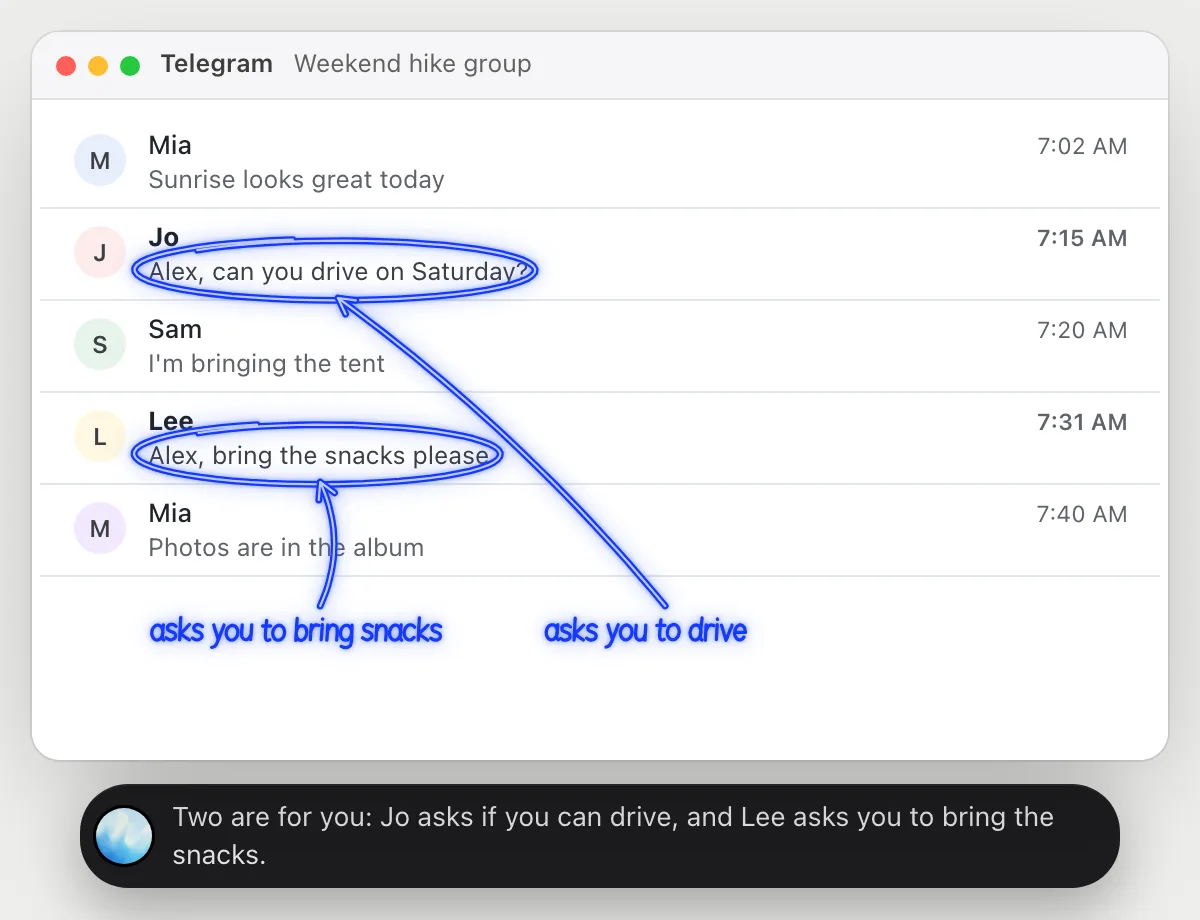
Find the messages in a group that are for you
“Which messages in this group are actually for me?”
- 01Open the group so the recent messages are on the screen.
- 02Ask out loud. DuckyHelper reads who wrote what.
- 03It circles the messages that mention you or ask you something.
- 04Ask what exactly was asked and it answers from the message.
You getYou see the two messages meant for you in a busy group, without reading all of them.
 Two are for you: Jo asks if you can drive, and Lee asks you to bring the snacks.
Understand a message in another language
“What is this message asking me, in plain English?”
- 01Open the chat so the message is on the screen.
- 02Ask out loud. DuckyHelper reads the message as written.
- 03It underlines the request and circles the time, then says what it means out loud.
- 04Ask what a word means and it explains it next to the message.
You getYou know what was asked and by when. It explains what the message says; it is not a translation service.
She asks you to bring the insurance papers tomorrow, and she needs them before 10 in the morning.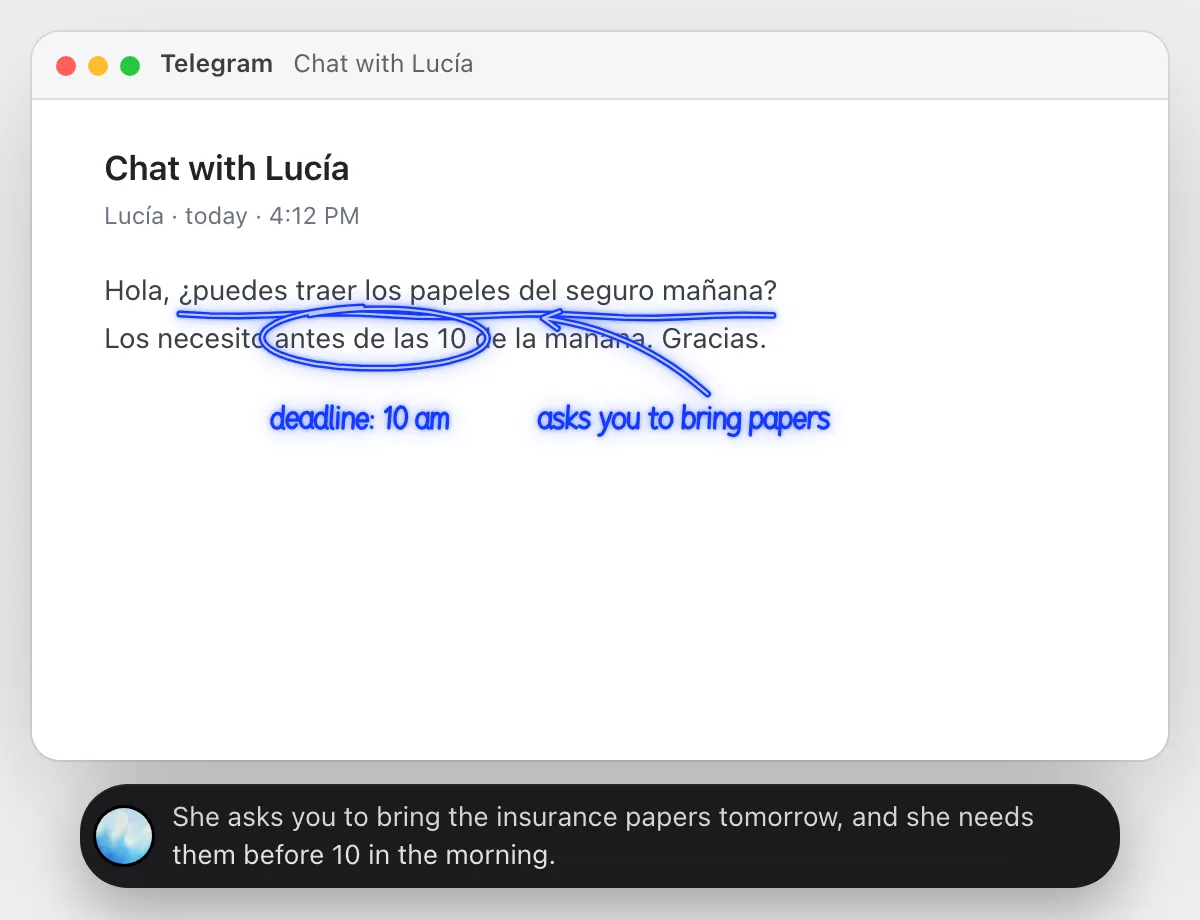
Reply to a friend with the plan
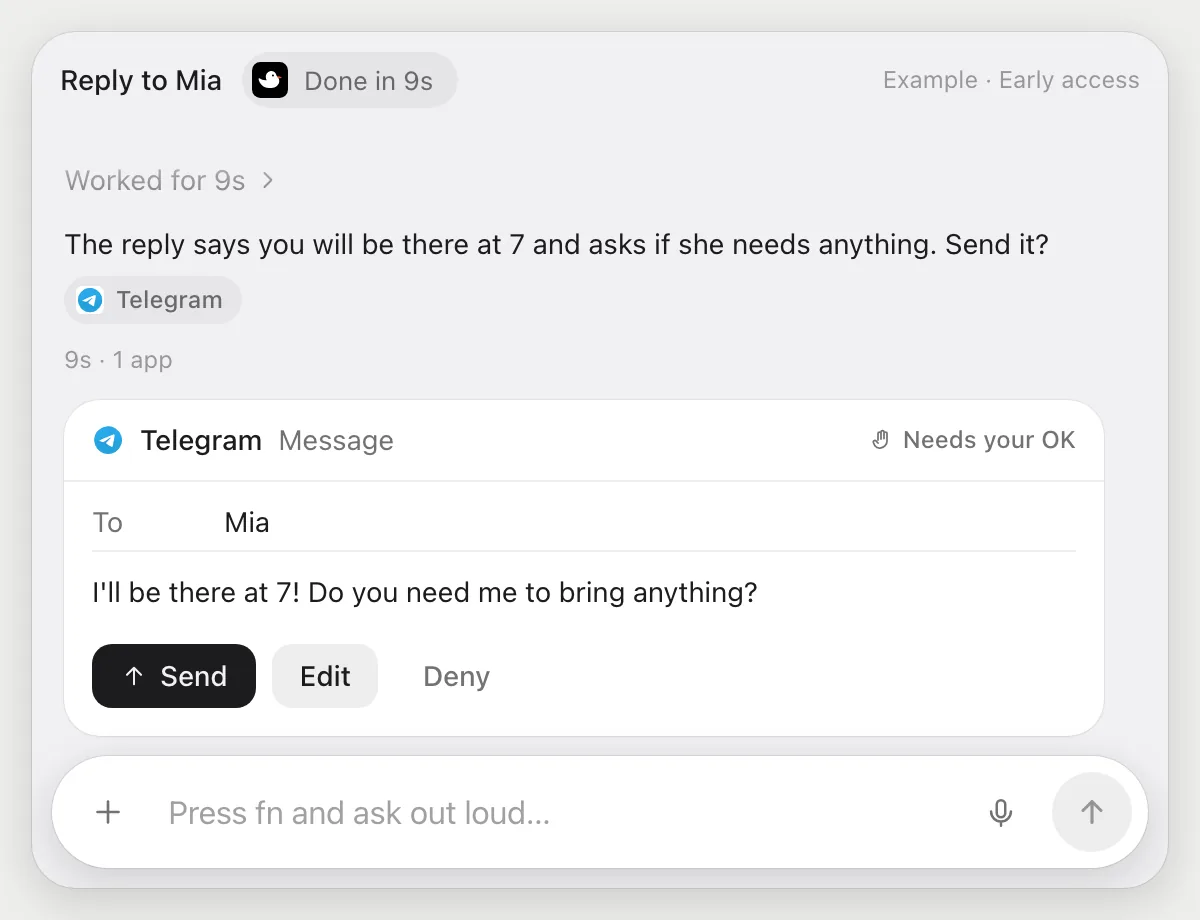
“Tell Mia I'll be there at 7 and ask if she needs anything”
- 01Say who to answer and what to say.
- 02DuckyHelper opens the chat with Mia using its own cursor while you keep working.
- 03It writes the reply in your voice.
- 04It stops before sending and shows the message with Send, Edit and Deny.
Built to ask firstThe message goes to Mia only after you press Send.
You getMia gets your plan and your question, sent after you read it.
Pass an address on to someone else
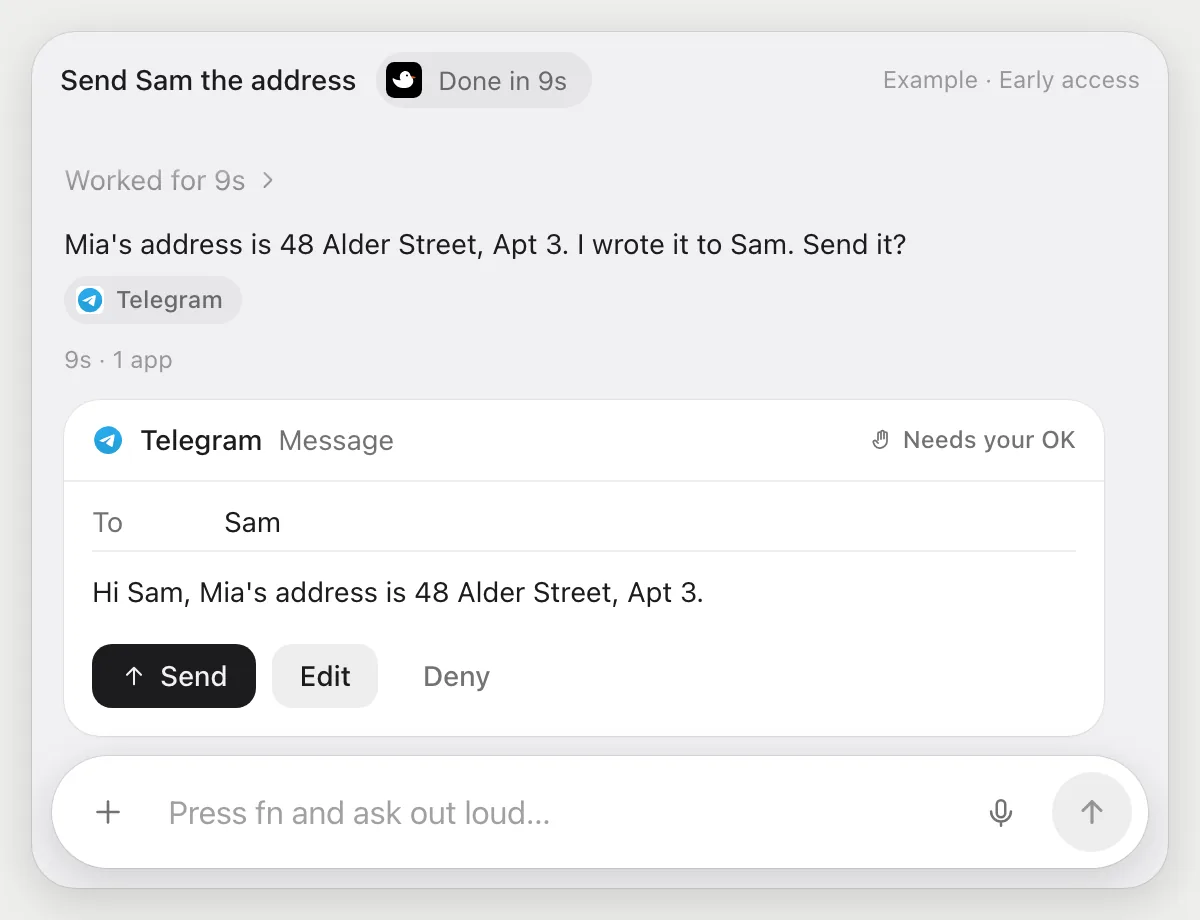
“Send Sam the address Mia sent me this morning”
- 01Say which address and who should get it.
- 02DuckyHelper finds Mia's message from this morning in your chat with her.
- 03It reads the address and writes a message to Sam.
- 04It stops on the message with Send, Edit and Deny so you can check the address.
Built to ask firstSam gets the address only after you press Send. Check it against Mia's message first.
You getSam has the right address without you copying it by hand.
Getting more out of it in Telegram.
- 01
Open the chat and scroll to the message first. It reads what is on the screen.
- 02
For a message in another language, ask for what it wants from you rather than a word-for-word translation.
- 03
Always check an address or a time against the original message before you press Send.
- 04
Writing email instead? The Gmail guide covers it.
Questions about Telegram.
Do I need to connect my Telegram account?
No. There is nothing to connect. It sees what is on your screen while the pill is open, and for jobs (Early access) it uses Telegram on your computer with its own cursor, signed in as you. It's built not to type your passwords or card numbers.
Can it send a message without asking me?
It's built to ask first: before any message is sent it shows you the message with Send, Edit and Deny and waits for your yes. It may not recognize every send or payment, so keep an eye on tasks that involve messages or money.
Does it sign in to Telegram for me?
No. You sign in yourself, and it's built not to type your passwords or card numbers.
Is it a Telegram bot?
No. It is not a bot and uses no Telegram API. It works on your screen like a person does.



Do anything
Ask it a question or hand it a job, in any app.



Doing jobs for you is in early access on Mac. Asking works on Mac, Windows and Linux.