

How to use DuckyHelper in Zoho CRM
Zoho CRM fills with leads, and some never get the call. Ask DuckyHelper about the leads on your screen and it circles the ones nobody followed up. Hand it the status updates, a lead conversion or a rule for bounced emails and it works in Zoho CRM for you (Early access).
Find the webinar leads nobody called
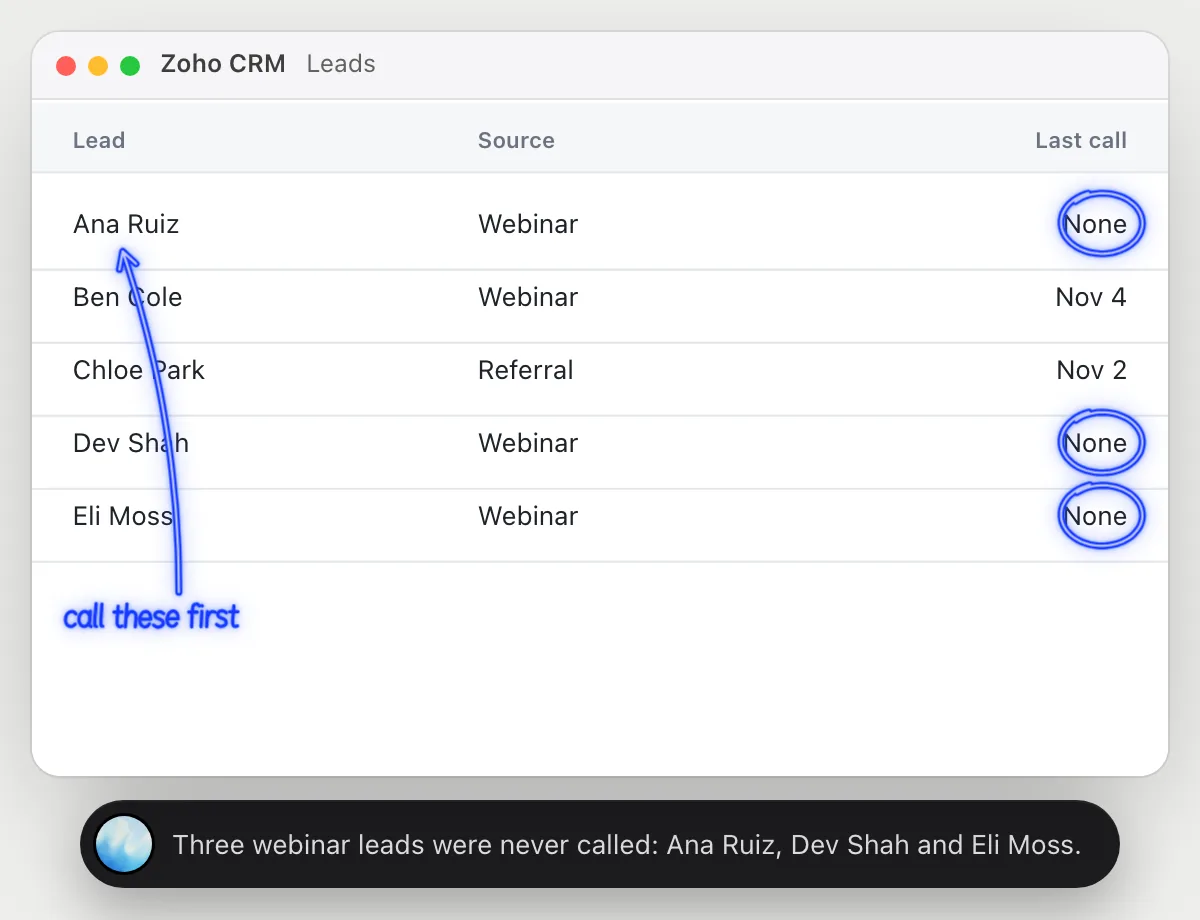
“Which leads from the webinar haven't been called yet?”
- 01Open the leads list with the source and last call showing, then ask out loud.
- 02DuckyHelper reads each lead's source and when they were last called.
- 03It circles the webinar leads with no call and says how many there are.
- 04Ask who to call first and it points at the one whose company is the biggest.
You getThe webinar leads that fell through, found without filtering the list.
 Three webinar leads were never called: Ana Ruiz, Dev Shah and Eli Moss.
Update lead statuses after calls
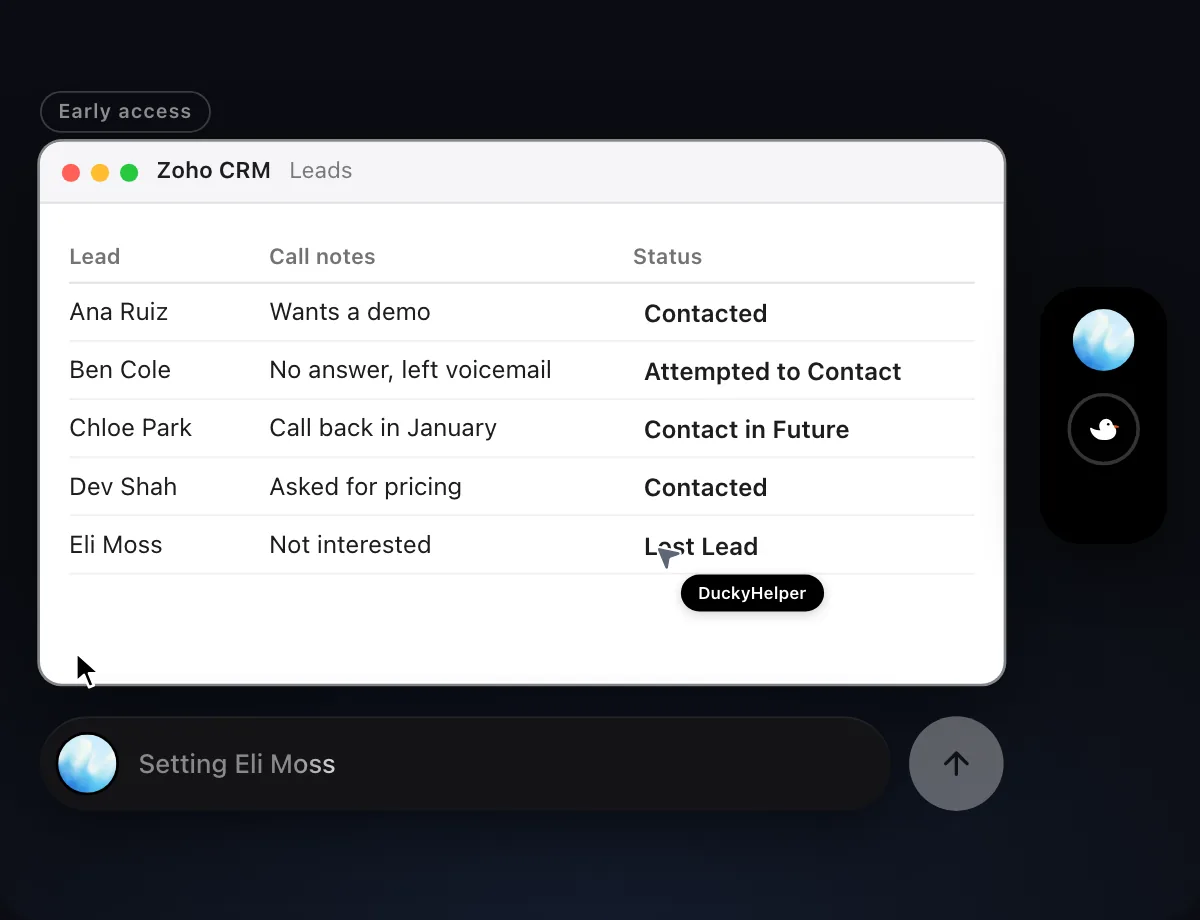
“Set each lead's status from today's call notes”
- 01Open the leads list and have today's call notes on screen.
- 02DuckyHelper reads the notes and matches each one to its lead.
- 03It picks the status that fits, like contacted or contact in future.
- 04It sets each lead's status with its own cursor, row by row.
- 05It shows the list so you can correct any you disagree with.
Built to ask firstSetting a status stays inside your CRM, so it needs no OK. It doesn't email anyone. Anything that goes to a lead is built to stop for your OK.
You getEvery lead's status matches what happened on today's calls.

Convert a lead into a deal
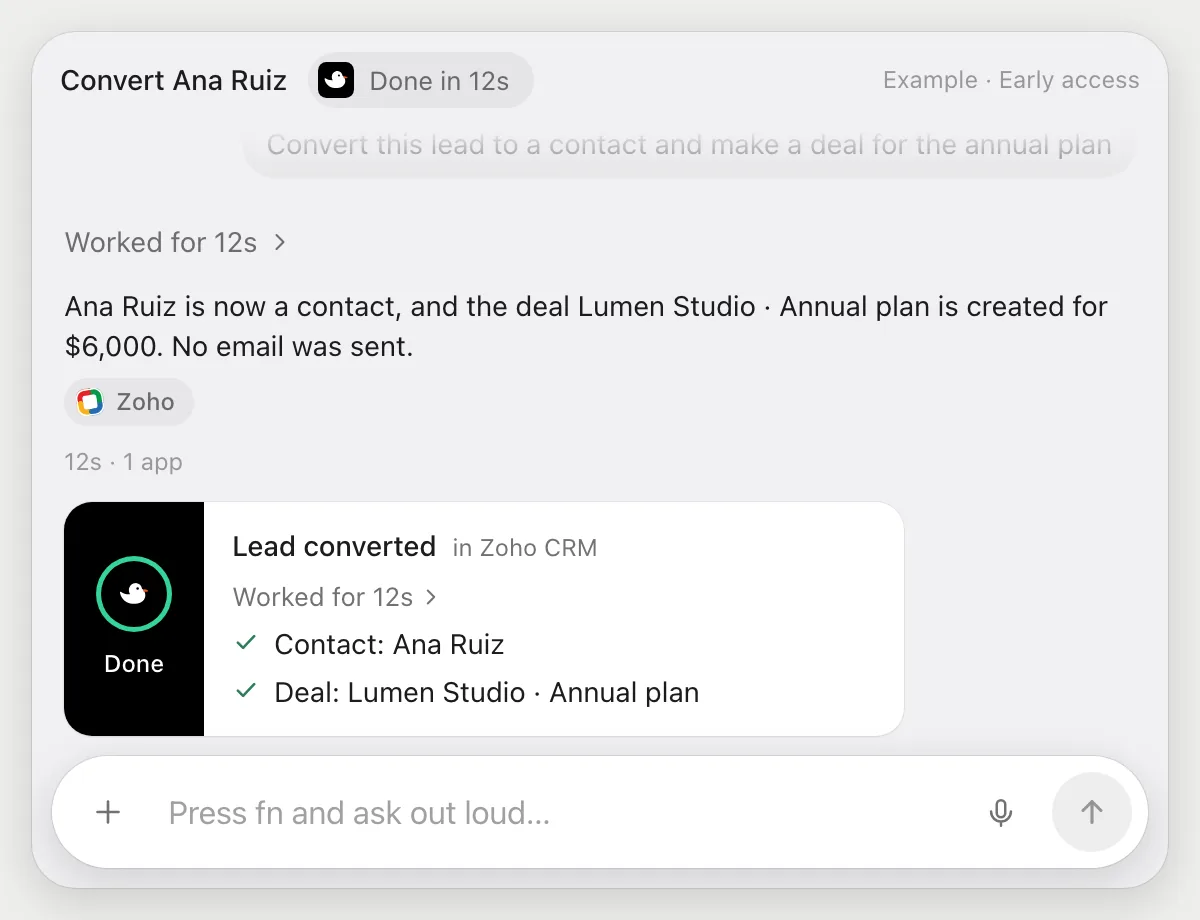
“Convert this lead to a contact and make a deal for the annual plan”
- 01Open the lead you mean, or say its name and DuckyHelper finds it.
- 02It starts the conversion with its own cursor and keeps the contact details.
- 03It fills in the new deal's name, the annual plan and the amount you tell it.
- 04It saves the deal and opens it to check it.
Built to ask firstConverting a lead and making a deal stay inside your CRM, so they need no OK. Anything emailed to the lead is built to stop for your OK.
You getThe lead is a contact with an annual plan deal attached, without filling in two forms.
Mark bounced leads
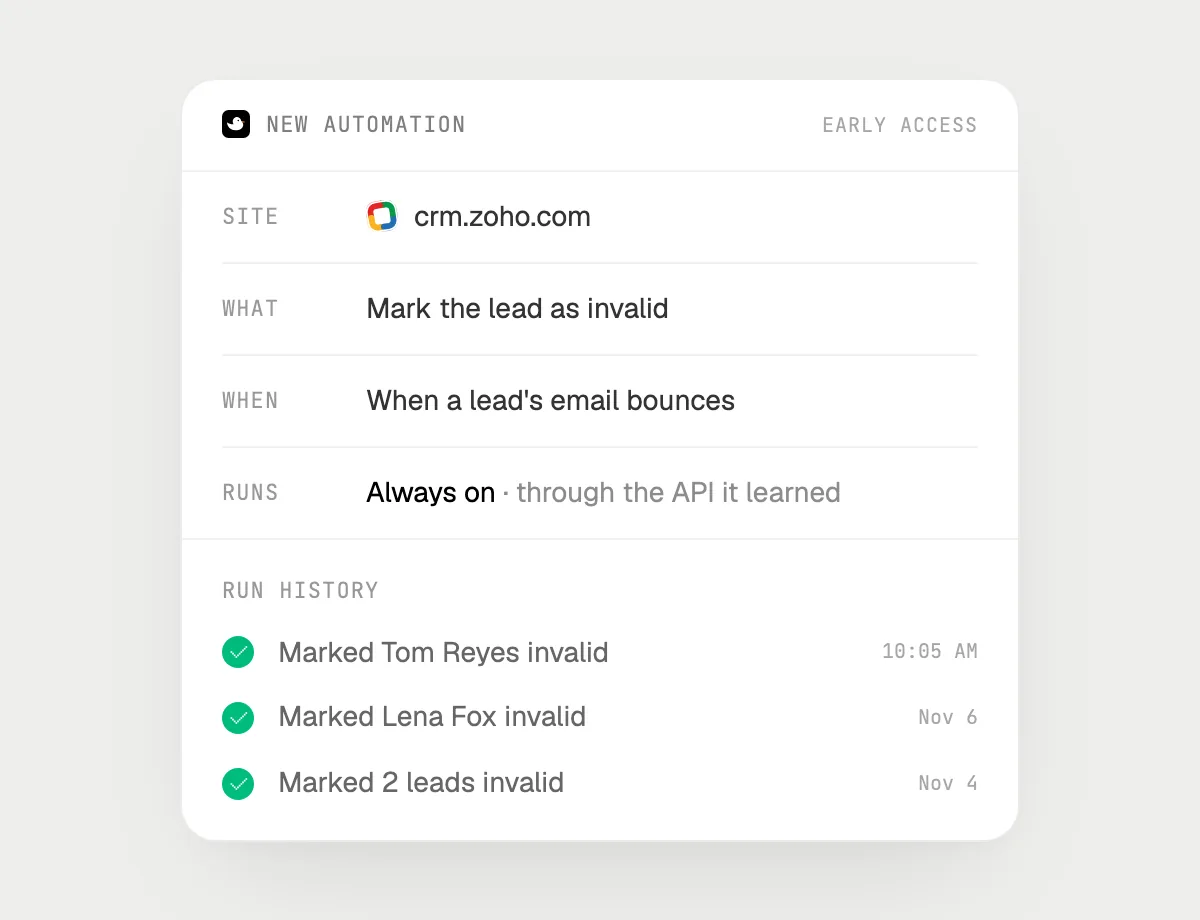
“When a lead's email bounces, mark the lead invalid”
- 01Say it once with the leads list open. It marks any bounced leads showing now as a first run.
- 02It learns Zoho CRM's own actions the first time, so later runs are quick.
- 03Turn it on from the card it offers. It watches for emails Zoho shows as bounced.
- 04When one bounces, it marks that lead invalid and tells you which lead.
- 05Every run lands in the history.
Built to ask firstMarking a lead needs no OK, so it runs on its own. Emailing the lead is not part of this job. Any message it writes is built to stop with Send, Edit and Deny first.
You getBad addresses are marked as soon as they show, so they stop cluttering your lists.
Getting more out of it in Zoho CRM.
- 01
Show the source and last call columns before asking about follow-up. It reads the columns on screen.
- 02
Use your own status words: "contacted" or "contact in future" will be matched to your list.
- 03
Tell it the amount and plan for a deal. It can't guess them from a lead.
- 04
Compare with another CRM? See the HubSpot guide.
Questions about Zoho CRM.
Do I need to connect my Zoho CRM account?
No. There is nothing to connect. It sees what is on your screen while the pill is open, and for jobs (Early access) it uses Zoho CRM in your browser or window with its own cursor, signed in as you. It's built not to type your passwords or card numbers.
Will it send anything without asking me?
It's built to ask first before it sends a message or pays for anything, and to wait for your yes: it stops with Send, Edit and Deny (or a pay card for anything that costs money). That covers emails to leads. It may not recognize every send or payment, so keep an eye on tasks that involve messages or money. Reading, drafting and filling things in don't need your OK.
Does it use Zoho's own AI?
No. DuckyHelper is its own app and works from your screen. It doesn't use or replace anything built into Zoho.
Can it delete my leads?
It only does what you ask. Marking or converting a lead shows in the history, and it doesn't delete records unless you tell it to.



Do anything
Ask it a question or hand it a job, in any app.



Doing jobs for you is in early access on Mac. Asking works on Mac, Windows and Linux.