

How to use DuckyHelper in Pipedrive
A Pipedrive pipeline only works if every deal has a next step, and some always slip through. Ask DuckyHelper about the stage on your screen and it circles the deals with nothing planned. Hand it the follow-ups, the email or a win post and it does them in Pipedrive (Early access).
Find deals with no next step
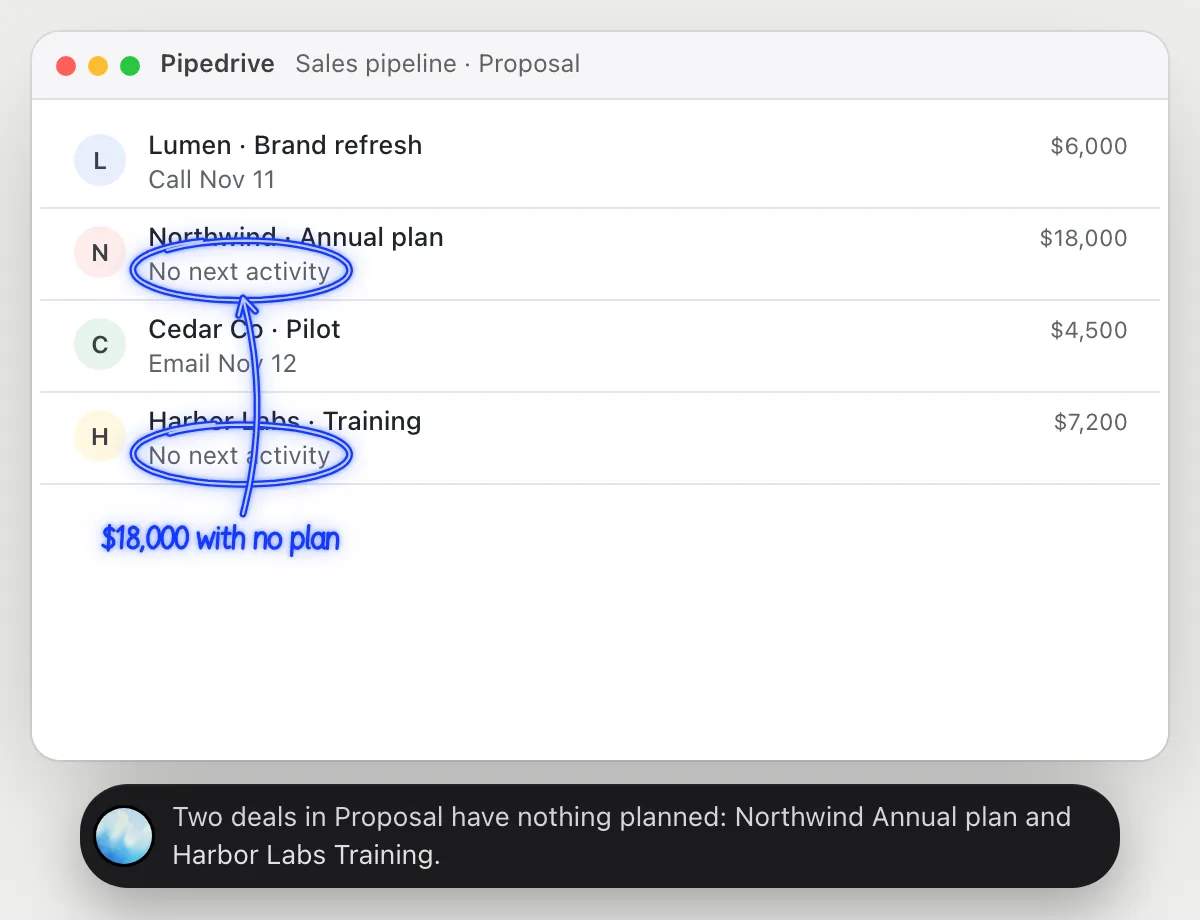
“Which deals in Proposal have no next activity?”
- 01Open the pipeline so the Proposal stage and its deals are on screen, then ask out loud.
- 02DuckyHelper reads each deal with its next activity, if one is planned.
- 03It circles the deals with nothing planned and says who they belong to.
- 04Ask which is worth the most and it reads the amounts.
You getThe deals sitting in Proposal with nothing planned, before they go cold.
 Two deals in Proposal have nothing planned: Northwind Annual plan and Harbor Labs Training.
Schedule follow-ups for a stage
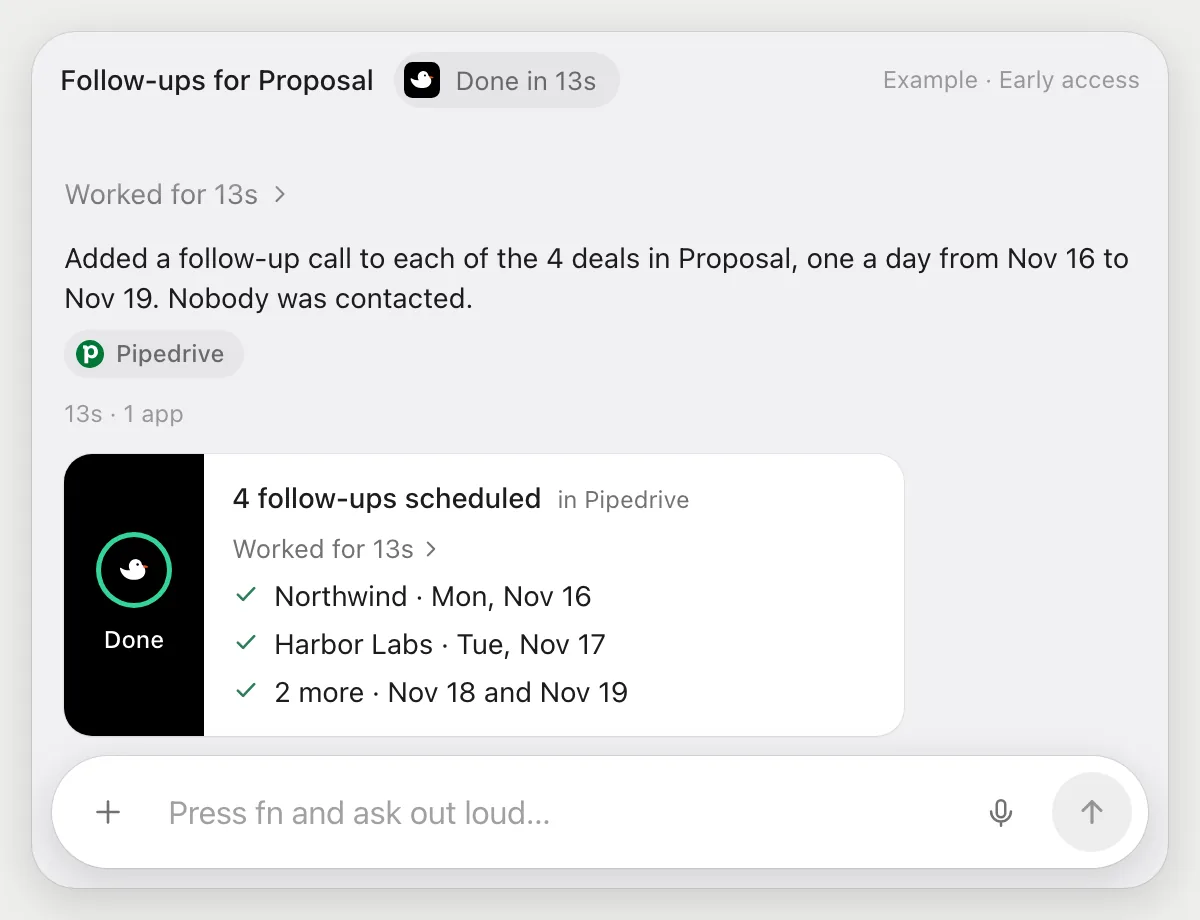
“Schedule a follow-up call for each deal in Proposal next week”
- 01Open the Proposal stage so its deals are on screen.
- 02DuckyHelper reads the four deals and their contacts.
- 03It adds a follow-up call activity to each deal with its own cursor, on a different day of next week.
- 04It shows the four activities with their dates.
Built to ask firstAdding activities stays inside your Pipedrive, so it needs no OK. It doesn't email or invite the contact, and anything that does is built to stop and ask.
You getEvery deal in Proposal has a follow-up call next week.
Email a deal and log it
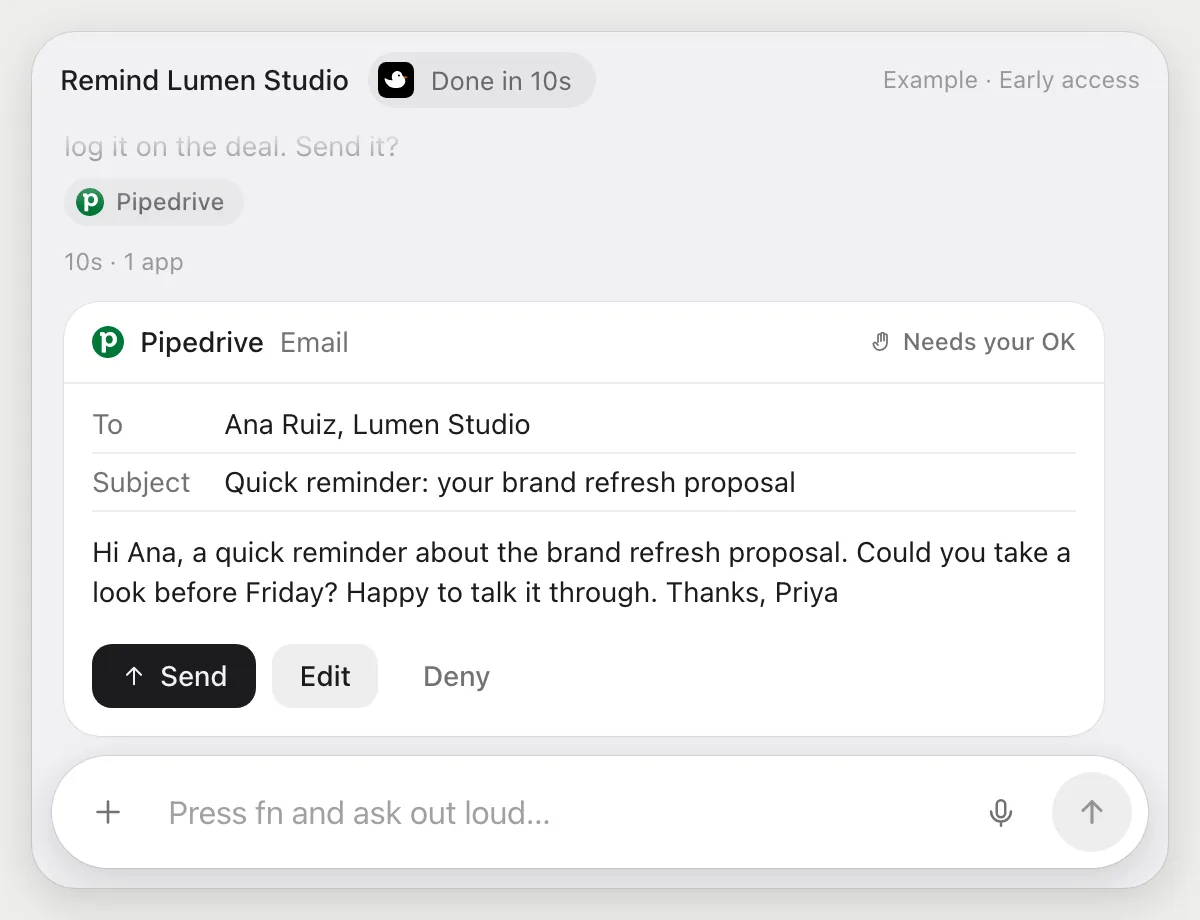
“Email Lumen Studio a reminder about the proposal and log it on the deal”
- 01Open the Lumen Studio deal, or say its name and DuckyHelper finds it.
- 02It reads the deal's notes and the proposal date.
- 03It writes a short reminder email to the contact.
- 04The email goes to a person, so it shows it with Send, Edit and Deny and waits.
- 05After you press Send, it logs a note on the deal that the reminder went out.
Built to ask firstThe email is shown with Send, Edit and Deny first. Nothing goes out until you press Send. Logging the note on the deal happens after the send.
You getLumen Studio is reminded, and the deal shows the reminder was sent.
Celebrate wins in Slack
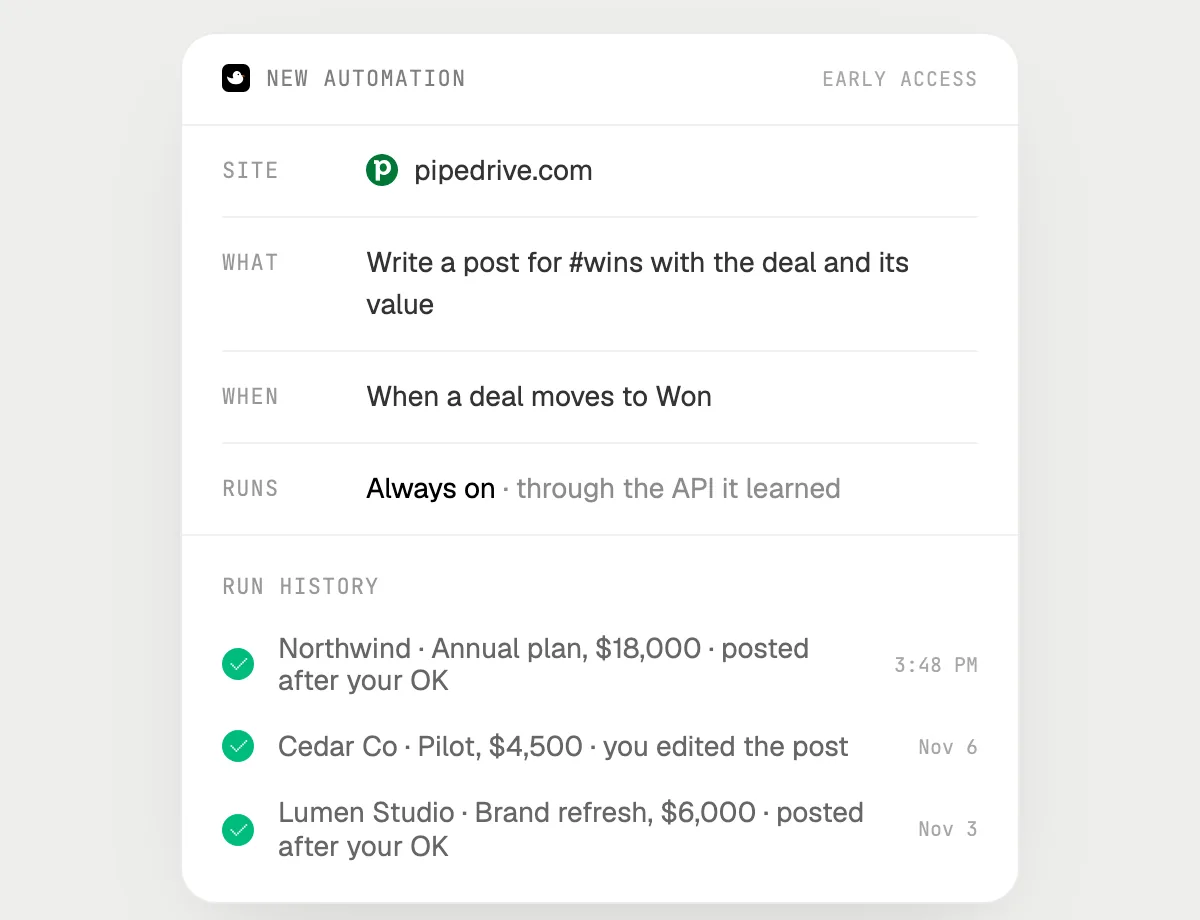
“When a deal moves to Won, post it in #wins, asking me first”
- 01Say it once with Pipedrive open. It checks the latest won deal as a first run.
- 02It learns the Pipedrive and Slack actions the first time, so later runs are quick.
- 03Turn it on from the card it offers. It starts whenever a deal moves to Won.
- 04It writes the post with the deal name and value, and stops with Send, Edit and Deny.
- 05Each run lands in the history, including posts you denied.
Built to ask firstA post in a channel is a message to your team, so each one is shown with Send, Edit and Deny first. It's built to wait for your OK before anything is posted.
You getWins reach #wins the same day, after you read each post.

Getting more out of it in Pipedrive.
- 01
Show the stage with next activities before you ask what is missing. It reads the cards on screen.
- 02
Say the days you want for follow-ups. "One a day next week" is a clear rule.
- 03
Name the contact on the deal when you ask for an email so the right person is found.
- 04
Looking for a call to join? The Calendly guide covers booking.
Questions about Pipedrive.
Do I need to connect my Pipedrive account?
No. There is nothing to connect. It sees what is on your screen while the pill is open, and for jobs (Early access) it uses Pipedrive in your browser or window with its own cursor, signed in as you. It's built not to type your passwords or card numbers.
Will it send anything without asking me?
It's built to ask first before it sends a message or pays for anything, and to wait for your yes: it stops with Send, Edit and Deny (or a pay card for anything that costs money). That covers emails and Slack posts. It may not recognize every send or payment, so keep an eye on tasks that involve messages or money. Reading, drafting and filling things in don't need your OK.
Does it work with Slack for the win post?
It uses Slack in your browser the way you would, with its own cursor, signed in as you. There is nothing to connect, and it's built to ask before each post (Early access).
Can it change my pipeline stages?
Only when you ask. Moving a deal is a visible change in your pipeline, and it shows up in the history.



Do anything
Ask it a question or hand it a job, in any app.


Doing jobs for you is in early access on Mac. Asking works on Mac, Windows and Linux.