

How to use DuckyHelper in TickTick
TickTick holds your tasks and your day in one place, so a crowded Today list is the usual problem. Ask DuckyHelper about the list on your screen and it tells you what to do first. Hand it the task entry, a reschedule or a Sunday plan and it does the clicking in TickTick (Early access).
Decide what to do first
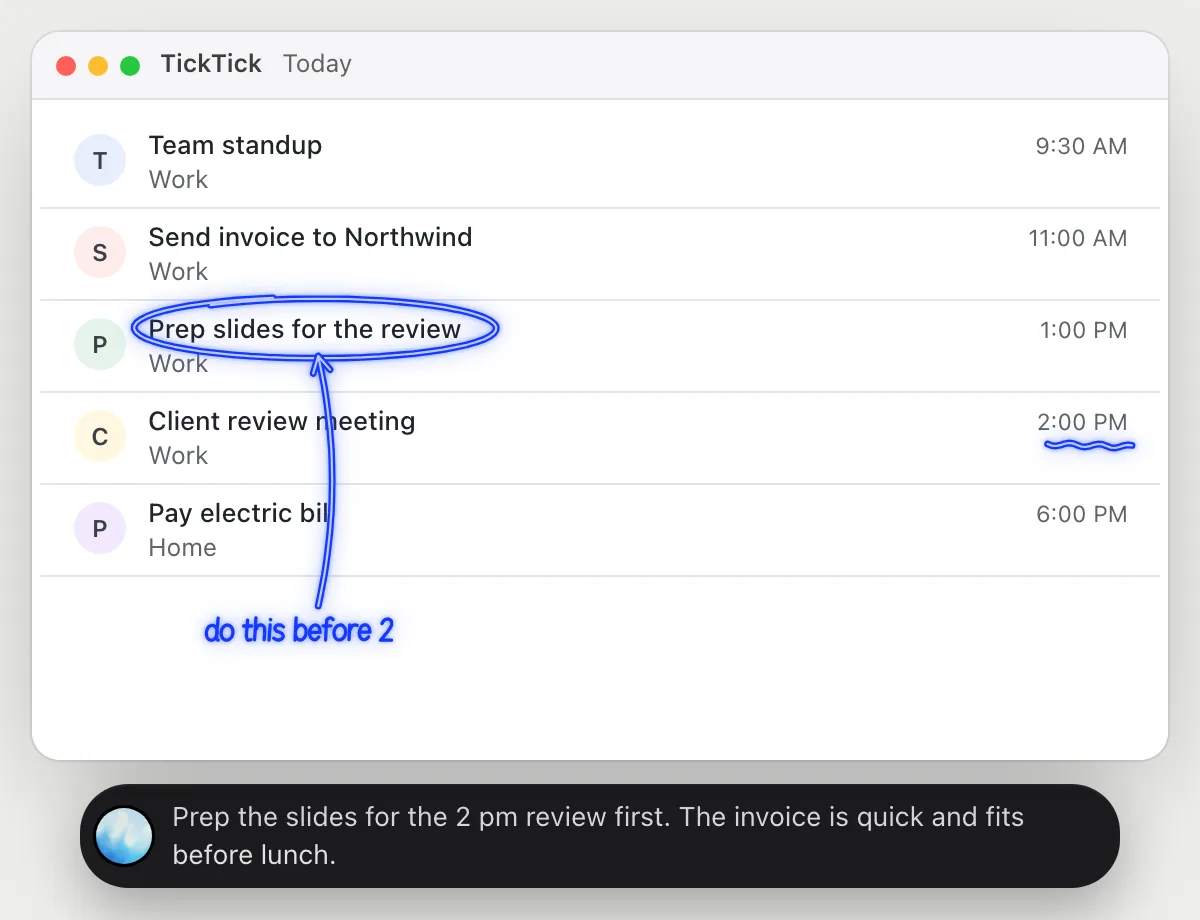
“What should I do first today, given my 2 pm meeting?”
- 01Open Today so your tasks and times are on screen, then ask out loud.
- 02DuckyHelper reads each task and the time next to it, including the 2 pm meeting.
- 03It circles the task that needs to be done before 2 and says why.
- 04Ask what fits in the gaps and it points to the short ones around the meeting.
You getA clear first task for the morning, picked around the meeting you can't move.
 Prep the slides for the 2 pm review first. The invoice is quick and fits before lunch.
Add tasks from your notes
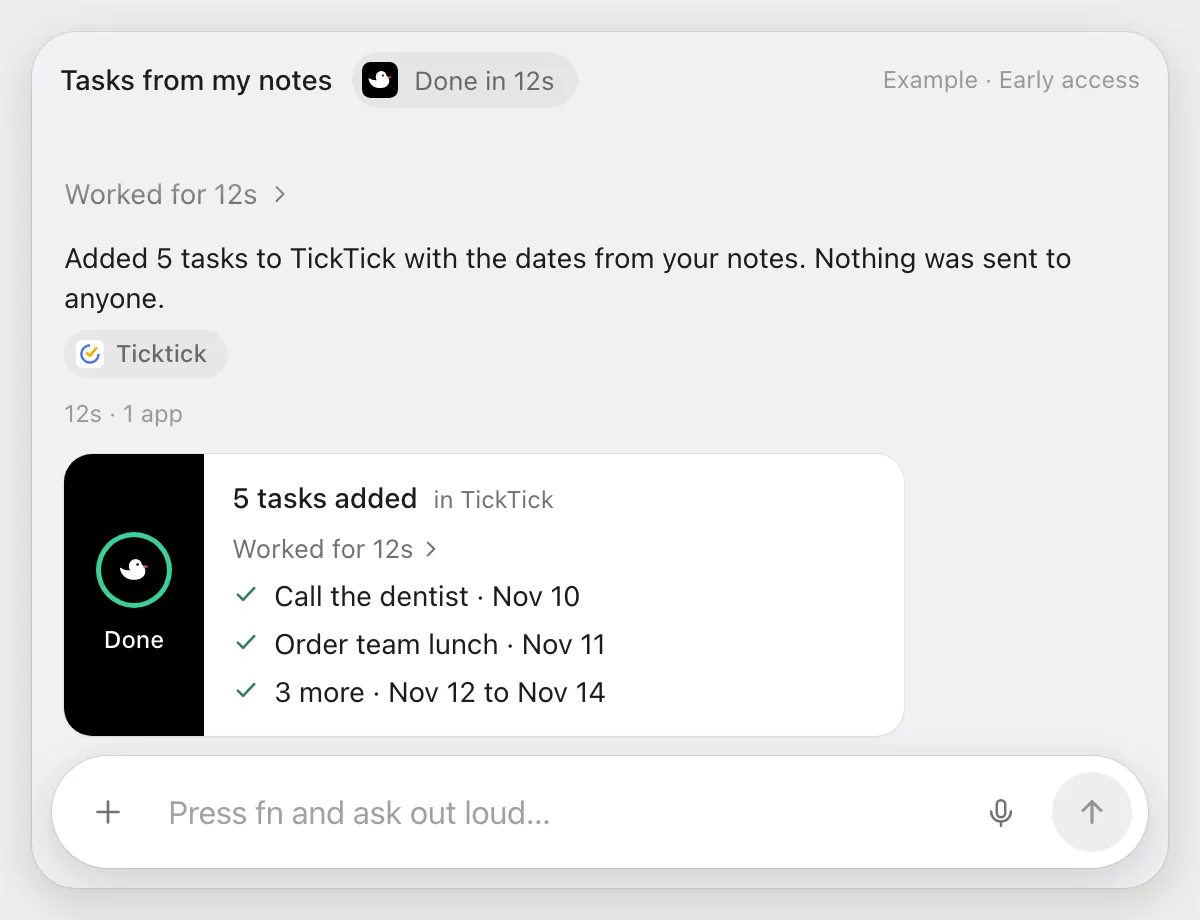
“Add these five tasks from my notes with due dates”
- 01Put your notes on screen, or open the note or doc that has them.
- 02DuckyHelper reads the notes and finds the five things to do and any dates you wrote.
- 03It adds each one in TickTick with its own cursor and sets the due date.
- 04It shows the five tasks so you can check titles and dates.
Built to ask firstAdding tasks stays inside your list, so it needs no OK. It doesn't invite anyone or send anything.
You getFive tasks in TickTick with dates, typed once instead of copied by hand.
Reschedule everything but the bills
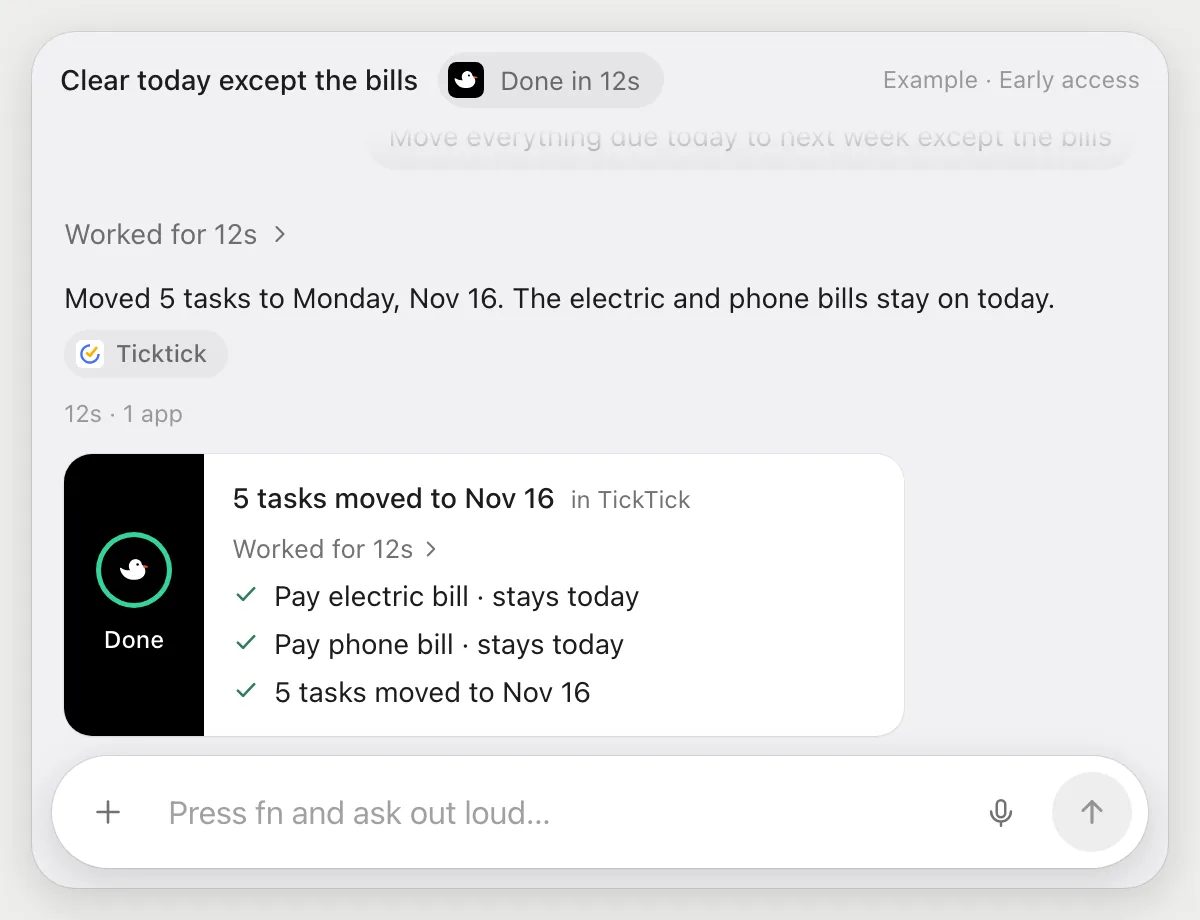
“Move everything due today to next week except the bills”
- 01Open Today so every task due today is showing.
- 02DuckyHelper reads the list and tells the bills apart from the rest.
- 03It moves the other tasks to next week with its own cursor, one at a time.
- 04It leaves the bills on today and tells you which two it left.
Built to ask firstChanging due dates stays inside your list, so it needs no OK. Tell it which tasks count as bills if a name is unclear.
You getToday is down to the two bills and the rest sits on next week, not forgotten.
Plan the week on Sunday
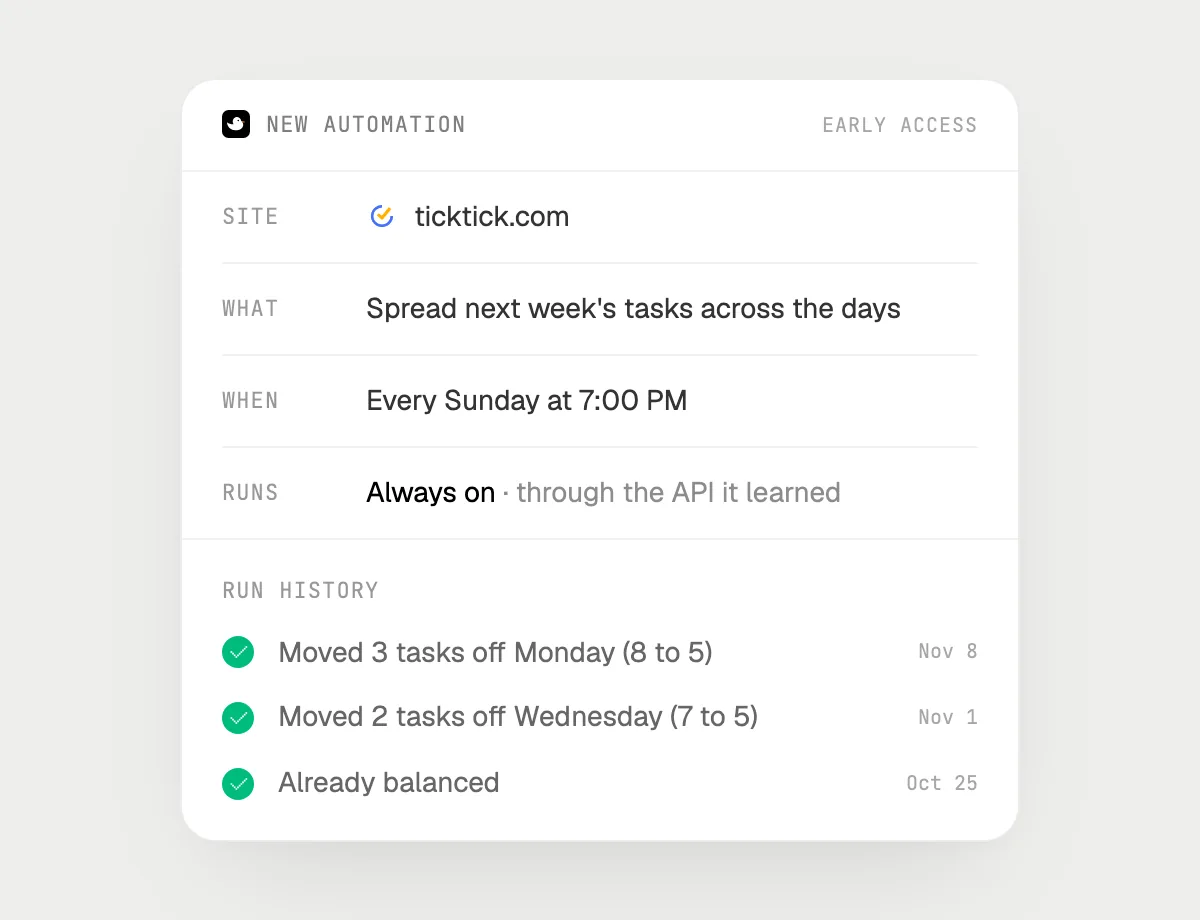
“Every Sunday at 7 pm, spread next week's tasks so no day has more than five”
- 01Say it once with TickTick open. It plans next week now so you can check the result.
- 02It learns TickTick's own actions the first time, so later Sundays are quick.
- 03Turn it on from the card it offers. It runs every Sunday at 7 PM from then on.
- 04It moves tasks off any day with more than five, and the history shows exactly what moved.
Built to ask firstMoving your own tasks needs no OK, so it runs on its own. If you later add a step that messages someone, it's built to ask before each send.
You getA week that starts balanced, with no day piled past five tasks.

Getting more out of it in TickTick.
- 01
Show Today with times before you ask what comes first. It reasons from what is on screen.
- 02
Tell it which things are fixed: "the 2 pm meeting can't move".
- 03
Name your rule for exceptions, like "bills" or "anything with a reminder", so a job leaves them alone.
- 04
Meetings on your calendar too? The Google Calendar guide covers that side.
Questions about TickTick.
Do I need to connect my TickTick account?
No. There is nothing to connect. It sees what is on your screen while the pill is open, and for jobs (Early access) it uses TickTick in your browser or window with its own cursor, signed in as you. It's built not to type your passwords or card numbers.
Will it send anything without asking me?
It's built to ask first before it sends a message or pays for anything, and to wait for your yes: it stops with Send, Edit and Deny (or a pay card for anything that costs money). That covers anything that messages another person. It may not recognize every send or payment, so keep an eye on tasks that involve messages or money. Reading, drafting and filling things in don't need your OK.
Does it use TickTick's habits or focus timer?
No. It works with the tasks and lists on your screen, the way you would. It doesn't change habit or focus settings unless you point it at them.
Does it work in the TickTick desktop app?
Yes. It works with whatever is on your screen, in the desktop app or the browser. Phone apps aren't supported.



Do anything
Ask it a question or hand it a job, in any app.

Doing jobs for you is in early access on Mac. Asking works on Mac, Windows and Linux.